
Mechanic Legends Customer Jobs: Accept, Repair and Complete Orders
Last updated:
Customer jobs pay you to repair cars in your workshop. Choose an order you can afford, keep track of its parts, and reassemble the car to finish the job.
Open Customer Jobs at the Workshop workbench and use the shop tablet to review an order, then select Accept. Track each part's Condition and status, repair or replace it, and reinstall it. Complete any remaining Put back prompts, then select Continue when the customer-arrival message says all repairs are complete.
Review and Accept a Customer Job
- Open Customer Jobs at the Workshop workbench and use the shop tablet to review waiting customers.
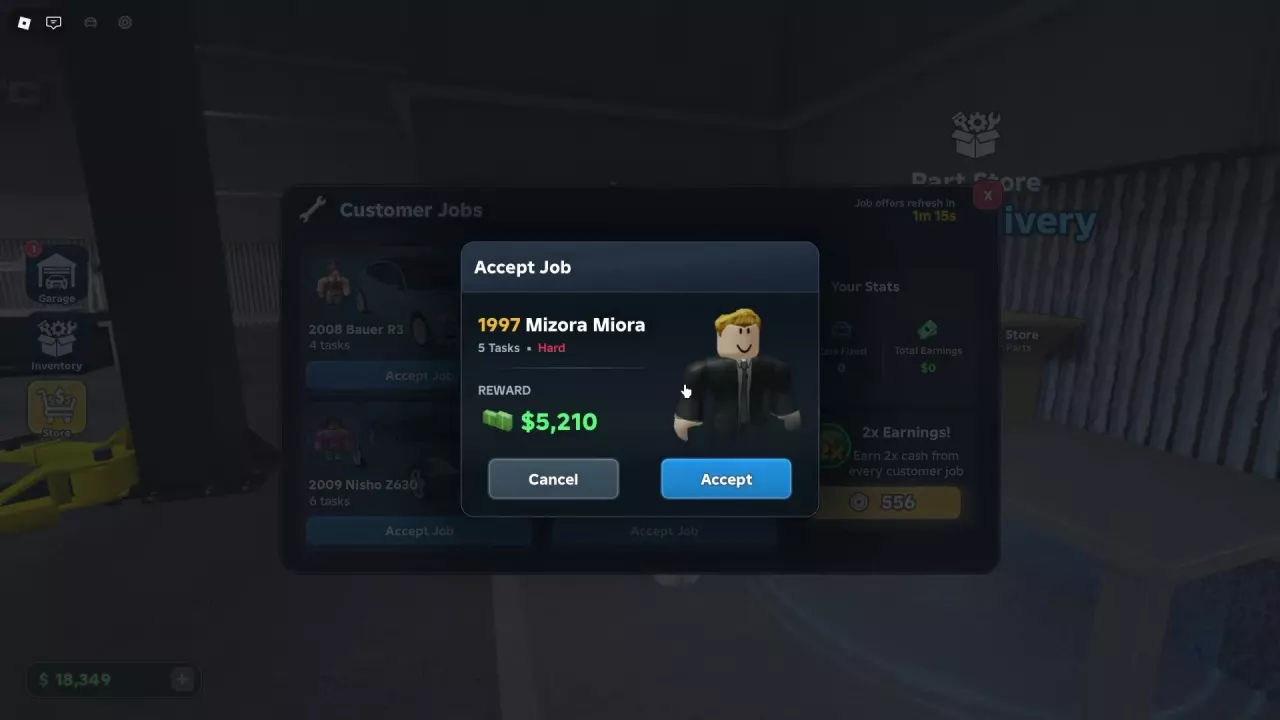
- Choose an order and check its vehicle, number of tasks, difficulty, and quoted reward in the confirmation window.
- Select Accept when the work fits your repair skills and budget.
Leave room in your budget for any parts you may need to buy. Customer vehicles cannot be driven out of the shop.
Track Parts While You Repair
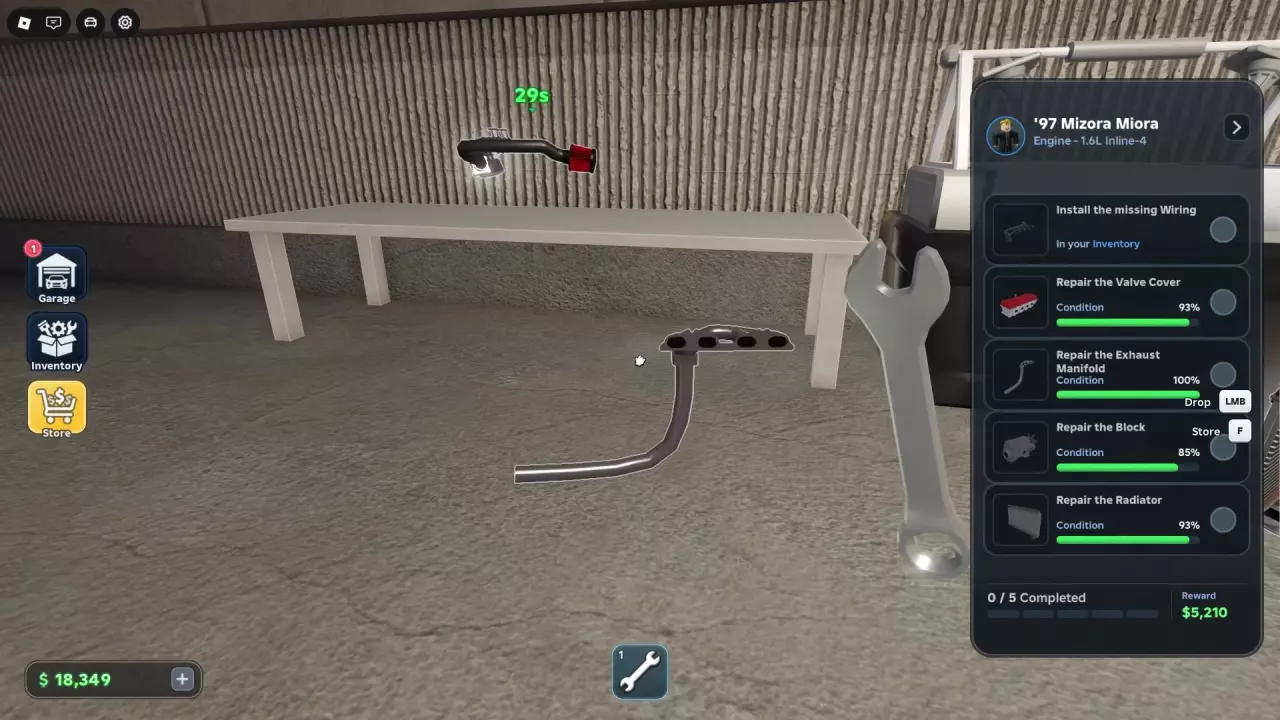
Use the job panel to follow each requirement. Condition shows the part's current state, while the check mark shows whether its task is complete. In Cleaner, In Polisher, and Inventory tell you where a part is being processed or stored.
Remove the required part and treat it according to its condition: the Ultrasonic Cleaner removes rust, while the Part Polisher addresses wear and damage. Replace a part when the order calls for a replacement. A part does not necessarily need both treatments; for example, Wiring in the Fujiro RXT job reached 100% after cleaning.
To keep a removed part for reassembly, left-click it to pick it up, then press F to store it. Find it in Your Parts using the Customer part tag and the engine or vehicle label. For equipment instructions, see cleaning and polishing parts and the workshop repair guide.
Supplied Parts and Replacement Costs
Some requirements include a free part: the missing Wiring for the 1997 Mizora Miora job and the replacement Exhaust Manifold for the 2004 Fujiro RXT job are supplied free for those orders.
That does not make every replacement free. In the Miora repair, replacing a lost 1.6L Inline-4 Valve Cover costs $430, and replacing the lost Intake Manifold costs $770. Ordinary new 1.6L Wiring costs $600. Workshop Part Store delivery is free, but check the item price before ordering.
Keep removed parts for reassembly. In Your Parts, Throw Away permanently discards a part. See ordering and collecting parts for the purchase and delivery steps.
Finish Reassembly and Put Back Requirements
- Bring each repaired or replacement part to its mounting point and hold the installation control. If a prompt names another part that must be installed first, install that part and retry.
- Check the job panel after reinstallation. A part can reach 100% Condition before its task is complete: the Miora's Exhaust Manifold and the Fujiro RXT's Transmission completed their respective tasks after being installed again.
- Follow any remaining Put back prompts, even when every repair task has a check mark. In the Miora job, the Intake Manifold still had to be put back after all five tasks were checked; the engine could not start without it.
- When the customer-arrival message says all repairs are complete, select Continue.
For other missing-part or startup prompts, see engine problems and missing parts.
Read the Reward for Your Order
The reward in the acceptance window belongs to that particular order. Compare it with the work and purchases you expect to make; the quoted reward is not your profit after expenses.
| Customer order | Tasks and difficulty | Quoted reward |
|---|---|---|
| 1997 Mizora Miora | Five tasks, Hard | $5,210 |
| 2004 Fujiro RXT | Five tasks, Hard | $5,038 |
| 2008 Bauer R3 | Six tasks | $8,138 |
The Miora order's later statistics also listed $5,210 in income. The Fujiro and Bauer amounts above are order quotes. The x2 Job Earnings pass doubles job earnings. For other ways to earn, see the money guide.