
Mechanic Legends Beginner Guide and Tutorial Walkthrough
Last updated:
Your first project in Mechanic Legends takes a used car from the Junkyard through repairs, paint and resale. Follow the Mechanic’s active objective and green GPS route, then complete the Wiring Harness task if it appears.
Choose Play, inspect the tutorial car by holding E, and buy it with Buy Now and Confirm. Drive to your garage, charge and reinstall the battery, and clean and repair the Radiator as instructed. Visit the Paint Shop for body rust removal and paint, then sell the car at Sell Used Cars. If the next objective identifies a missing Wiring Harness, order matching Wiring from Parts Direct, install it and start the car to finish that task and receive $5,000 in startup funds.
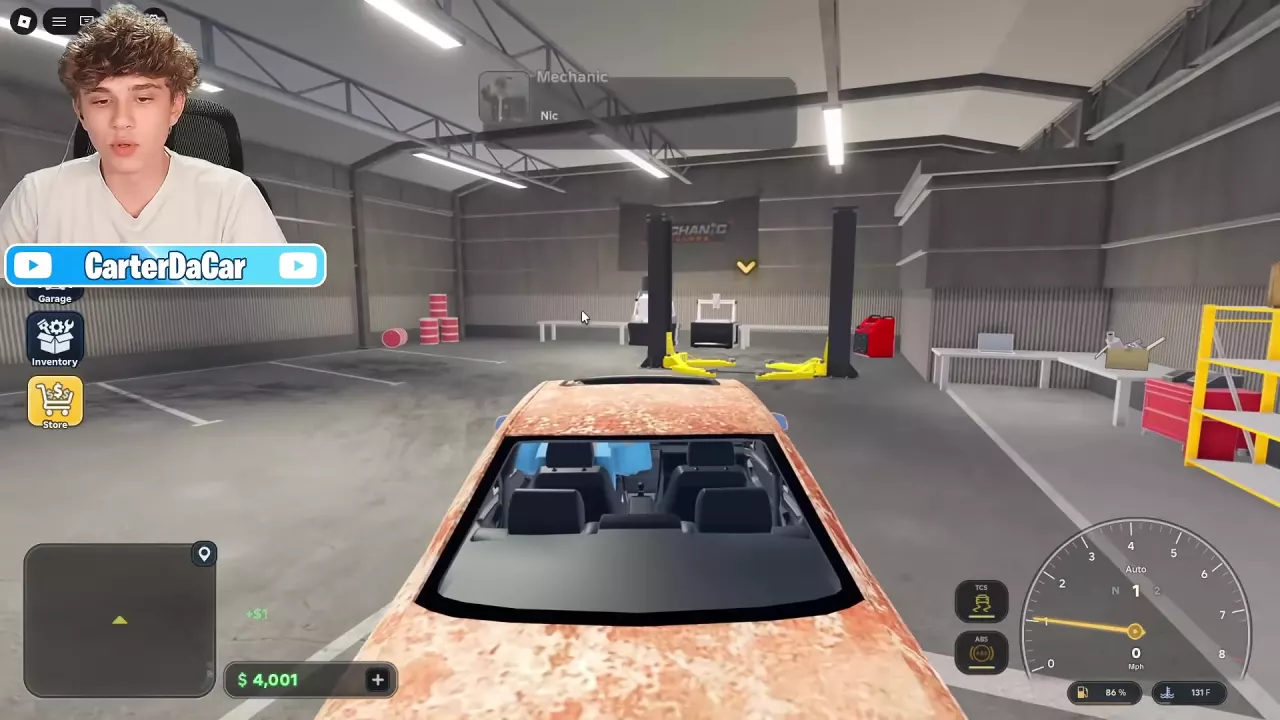
Your First Car and Repair Budget
- Select Play and follow the tutorial to The Junkyard.
- Approach the tutorial car and hold E to inspect it. Review its price and condition before buying.
- Select Buy Now, then Confirm. Completed purchases cannot be reversed.
The tutorial can involve a 1999 Avelin C4 or a 1998 Avelin C4 Wagon. Follow the car and objective assigned to you.
For a practical budget example, an $8,000 balance before a $4,000 first-car purchase leaves $4,000 for repairs and other expenses. That is a purchase example, not a fixed starting balance for every account. Keep money available for the work ahead instead of treating the purchase price as the entire project cost.
Follow GPS to the Garage and Repair the Car
Follow the green GPS route to Garage, drive onto the lift and press F to get out. At the lift control, press E to raise the car.
Charge and reinstall the battery
- Open the hood and equip the Wrench.
- Aim at the battery and hold the left mouse button to remove it.
- Carry it to the Battery Charger and place it on the charger.
- Wait for charging to finish, then retrieve the battery.
- Bring it back to its mounting point and hold the left mouse button to install it.
Clean and repair the Radiator
- Remove the rusty Radiator with the Wrench.
- Place it in the Ultrasonic Cleaner and wait for cleaning to finish.
- Retrieve it. When the Mechanic directs you to the Part Polisher, place the cleaned Radiator there and wait for the treatment to finish.
- Take the repaired part back to its mounting point and reinstall it.
The cleaner removes rust; the polisher treats wear and damage. Cleaning therefore does not replace the polishing objective when the Mechanic asks for both.
Once the required parts are back in place, close the hood and press Q at the lift control to lower the car. For repairs beyond these tutorial objectives, use the car repair and workshop equipment guide.
Remove Body Rust, Paint and Sell
Prepare the body
- Follow GPS to the Paint Shop and drive into the Prep Booth.
- Select Strip Paint and confirm the treatment. This removes the current paint and body rust, then applies primer. Confirmed paint removal cannot be undone.
- Stay in the car inside the booth until Removing Rust finishes. The service charge is taken on completion.
Paint the car
- Drive into the Paint Booth and remain in the car to open the paint interface.
- Choose a color with the color wheel and Shade slider, or select Factory for the original color.
- Review the quoted price, then confirm with Apply Paint or Paint it, depending on the interface label.
- Remain inside until painting finishes; payment is taken on completion.
For budgeting, the blue repaint examples cost $120 for the 1999 Avelin C4 and $140 for the 1998 Avelin C4 Wagon. The Wagon’s quoted painting time was approximately 6 seconds. Use your car’s displayed quote when confirming.
Sell the restored car
- Drive the car to the used-car dealer marked Sell Used Cars, park and get out.
- Approach the dealer and hold E on Sell Your Car.
- Review Sell This Car? and Dealer’s Offer, including the vehicle details and listed price adjustments.
- Select Sell for the displayed amount to accept. The completed sale is final and cannot be undone. The proceeds are added to your cash.
Continue with the Mechanic’s next objective after the sale. If it calls for a missing Wiring Harness, complete the steps below.
Finish the Wiring Harness Objective
Complete this step if your active tutorial objective says the car is missing its Wiring Harness. Without the harness, the car cannot receive electrical power.
- Open Parts Direct, choose Engine and select the engine type that matches the car.
- Order Wiring. For the tutorial’s 1.6L Inline-4 setup, a new replacement costs $600.
- Wait for delivery to the workshop.
- Equip the Wrench, pick up the Wiring and install it at the marked position in the engine bay.
- Enter the car and start it.
Completing this objective grants $5,000 in startup funds, and the Mechanic directs you to customer jobs on the shop tablet. This grant is separate from the money received for selling the earlier car.
If a startup warning names a different missing part, follow the matching branch in the engine problems guide.
Choose Your Next Activity
- Earn money through repairs: Go to the shop tablet for customer jobs. This is the natural next step if you want more workshop work; the money guide explains the income options.
- Restore your own project: Inspect cars at the Junkyard and choose one that leaves room in your budget for repairs. Once repaired, keep it for driving or sell it. Use the Junkyard buying guide to assess your next purchase.
- Customize a car you want to keep: Choose a project around tuning, wheels or paint. The customization guide explains what each option changes.
- Drive and collect: Build your collection and explore Los Archilis with friends. Use the driving controls and garage guide to manage and drive your cars.